The MAHLE My SmartBike mobile app is the main component of the digital platform and allows you to enjoy all the functionalities of the eBike. It is compatible with mobile devices using iOS or Android systems. Among other functions, this app allows you to track and record the activities of your eBike. In addition, the mobile device can be converted into an integral screen to display the different parameters of the eBike.
CAUTION
For your own safety, we do not recommend using your mobile device while driving if it is not securely attached to the handlebars.
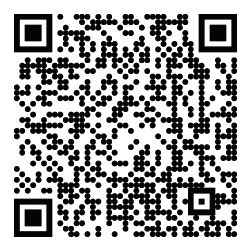
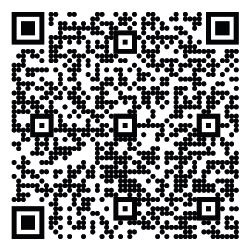
Use the following links to download the APP


Smartphone APP account creation
To enjoy the full functionality of the My Smartbike application, be sure to create your personal account using one of these two ways:
- APP: by downloading the My SmartBike application on a mobile device and following the steps to create an account.
- WEB: via a web browser access http://www.my-smartbike.com/user/login
Once you have created your personal account, open the MAHLE My SmartBike app, switch on your eBike and simply follow the process shown in the app to connect your device to your eBike via Bluetooth.
NOTICE
All the information related to the app is in the "tutorials" section of the app itself. If you have any doubts, please consult this section.
My SmartBike WEB Browser
As a complement to the mobile application, the digital platform includes a WEB browser version. Through this medium, you can access certain functions and additional data visualization. This web application is designed to provide you with more details about your activity and a higher level of monitoring of your overall system usage. To access the web, visit my-smartbike.com and use the same username and password as for the mobile device application.
Motor Modes
The M40 System has 3 assistance levels: L1, L2, and L3. Each of these levels can be customized from the application.
Customizable Mode
The customization mode allows you to adjust each of the maximum power levels, assistance ratio, and acceleration. It is also possible to customize other functionalities of the M40 System such as overrun, behavior at the speed assistance cut-off, maximum speed, and activation/deactivation of the auto-hold functionality. There is the possibility, using the “Reset” button, to restore the default values of the eBike.
Main parameters involved in the different modes:
Power peak: Defines the maximum power the motor can reach for a short period of time (watts).
Assistance ratio: Measures how much the system multiplies the value applied by the user on the pedals. A lower % results in less motor power delivery, while a higher % results in greater motor power delivery.
Acceleration: Defines the time it takes to reach the full level of selected assistance. A lower % results in smoother change, while a higher % makes the change faster.
Overrun duration: Keeps motor assistance after pedaling stops for a short period of time. Shorter overrun = less time, longer overrun = extended assistance.
Behavior at maximum speed cut-off: Can be configured to be smoother or harsher. Smooth = gradual power decrease, harsh = abrupt cut-off.
Maximum speed: Regulated by law, but the system allows reducing the maximum speed below the legal limit.
Auto-hold activation/deactivation: Auto-hold allows holding the bike on slopes without using the brake. It can be activated or deactivated from the application.
Main Functions of the My SmartBike Platform
| Main Functions of the Digital Platform My SmartBike | APP | WEB |
|---|---|---|
| Assistance level configuration | x | |
| Activity recording | x | |
| Strava integration | x | x |
| Navigation | x | |
| Route management | x | X |
| Real-time eBike parameter visualization | x | |
| Visualization of eBike activity parameters and external sensors | x | x |
| eBike usage analysis | x | x |
| Additional information and tutorials | x | x |
| eBike status | x | x |
| Access to all public activities | x | x |
| History of all activities | x | x |
| Detailed view of system usage parameters | x | |
| Relevant content of the M40 System | x | x |
| eBike customization | x | |
| eBike electric lock mode | x | |
| Wireless system update | x | |
| Error detection | x |